Site diary
Every site visit, on record
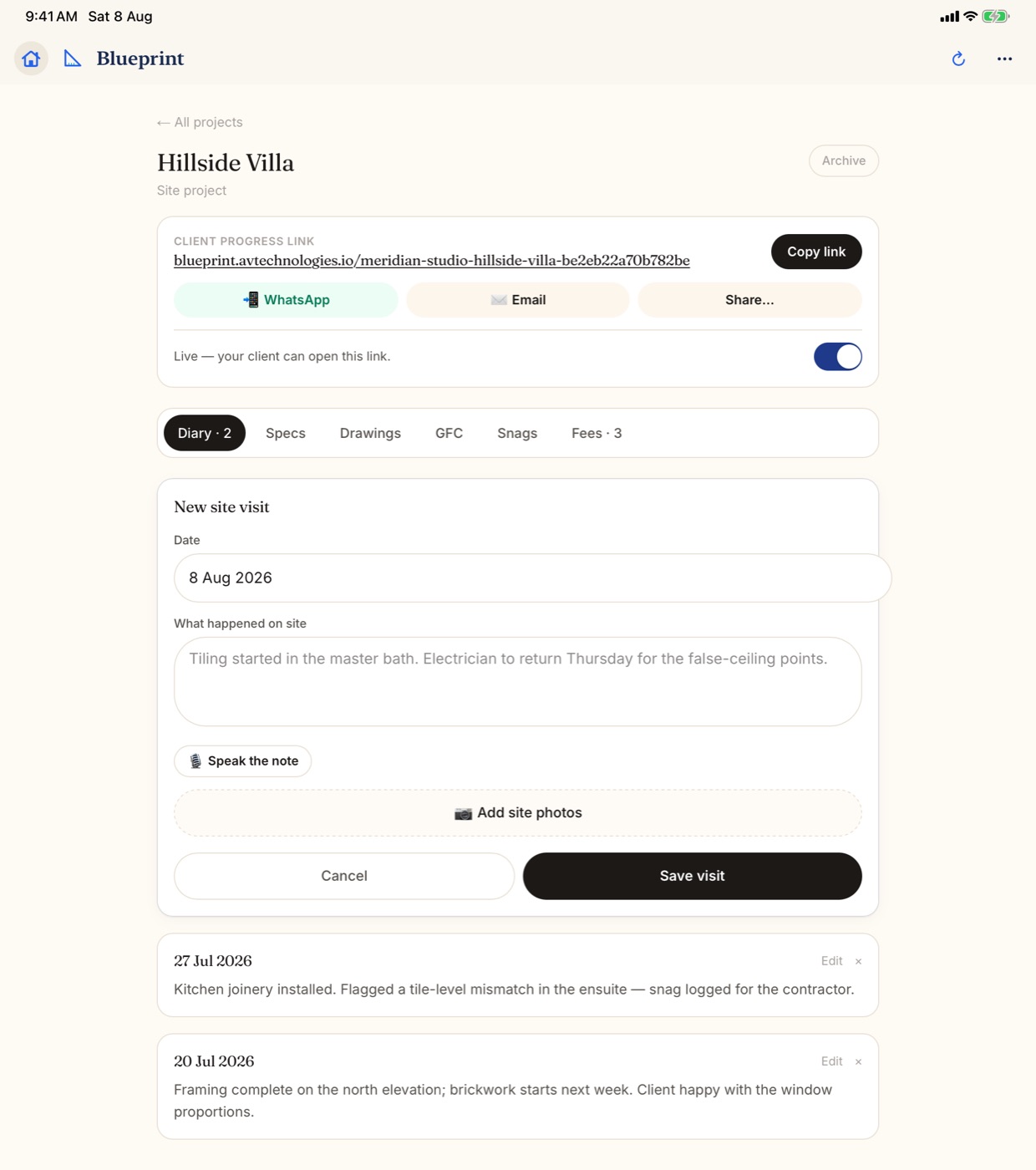
Photos, a note and the date, stamped Verified on site when you are really there.
- On every plan, Free included
- iPhone, iPad, Android and web
How it works
Three steps on site
Pin the site once
Stand on site and tap Pin from where I'm standing, or paste a maps link.
Log the visit there
Add photos and a line about what you saw. Near the pin, it is stamped Verified on site.
It lands in the diary
At the top of the Diary tab, and on your client's link when that is on.
What you get
What every visit gives you
A stamp that cannot change
The stamp and the visit date are fixed once the visit is saved.
Filed under its stage
With a stage plan, each visit sits under the stage running that day.
You choose who sees it
Tap the eye on a visit: Client sees this, or Only your studio.
A report in one tap
Every visit has a PDF button for a tidy site visit report.
Sites you have not visited
Overview flags any site not visited in two weeks or more.
Away from site, said plainly
Further than about 200 m, it is saved as logged away from site.
FAQ
Site diary questions
Can I verify a visit after I leave the site?
No. Only today's visits can be verified, and the stamp comes from your phone's location at the moment you tap I'm on site. A visit logged later is saved without the stamp.
What if I log a visit away from the site?
It is still saved, marked as logged away from site with the distance from the pin. If that looks wrong, check that the pin sits on the right spot.
Does Blueprint track my location all day?
No. Blueprint reads your location only when you tap a button that needs it, such as I'm on site or Pin from where I'm standing.
Can I speak my site notes instead of typing?
Yes, on the Studio plan and up. Tap Speak the note, talk, then tap Stop & write it, and your words are written into the note for you to check before saving.
Put your next visit on record
The site diary is on every plan, Free included.
More about the site diary
A site diary for architects and designers
A site diary is the running record of a project on site: who went, when, what they saw and what was agreed. In Blueprint it is the Diary tab of each project, and it fills up one site visit at a time. Each visit holds the date, your photos and a short note. A single photo or a single line is enough to save it.
It is made for architects, interior designers and design-build studios who are on site often and need a record that holds up later, whether the question comes from a client, a contractor or your own team.
What Verified on site means
Pin each site once, standing on it or by pasting a maps link. When you log a visit and tap I'm on site, your phone's location is checked against that pin. Within about 200 m, the visit is stamped Verified on site. Further away, it is saved as logged away from site, with the distance.
Only today's visits can be verified, and neither the stamp nor the visit date can be changed afterwards. That is what makes the diary useful as a site visit record: it shows when someone from the studio was really there.
Better than photos in a chat
Many studios keep site photos in a phone gallery and updates in a WhatsApp group. It works until someone asks what happened on a given day. The photos are mixed across jobs, the messages scroll away, and a spreadsheet log is always a week behind.
In Blueprint each visit belongs to one project, sits in date order and, with a stage plan, is filed under the stage running that day. Overview counts your visits over the last 30 days, shows how many were verified, and flags any site not visited in two weeks or more.
- On Studio and up, tap Speak the note and talk instead of typing.
- On the same plans, get a site report written for you from your photos and voice notes. You read it before you save, and there is a monthly limit.
- Every visit has a PDF button for a site visit report. See PDF reports.
What your client sees
When the client link is on, each visit shows on it straight away, with its photos and note, and your client can see which visits were verified on site.
Some visits are for the studio only, like a frank note for the contractor. Tap the eye on the visit and pick Only your studio, and it stays off the link and out of the project report. A team member or the owner makes that call.